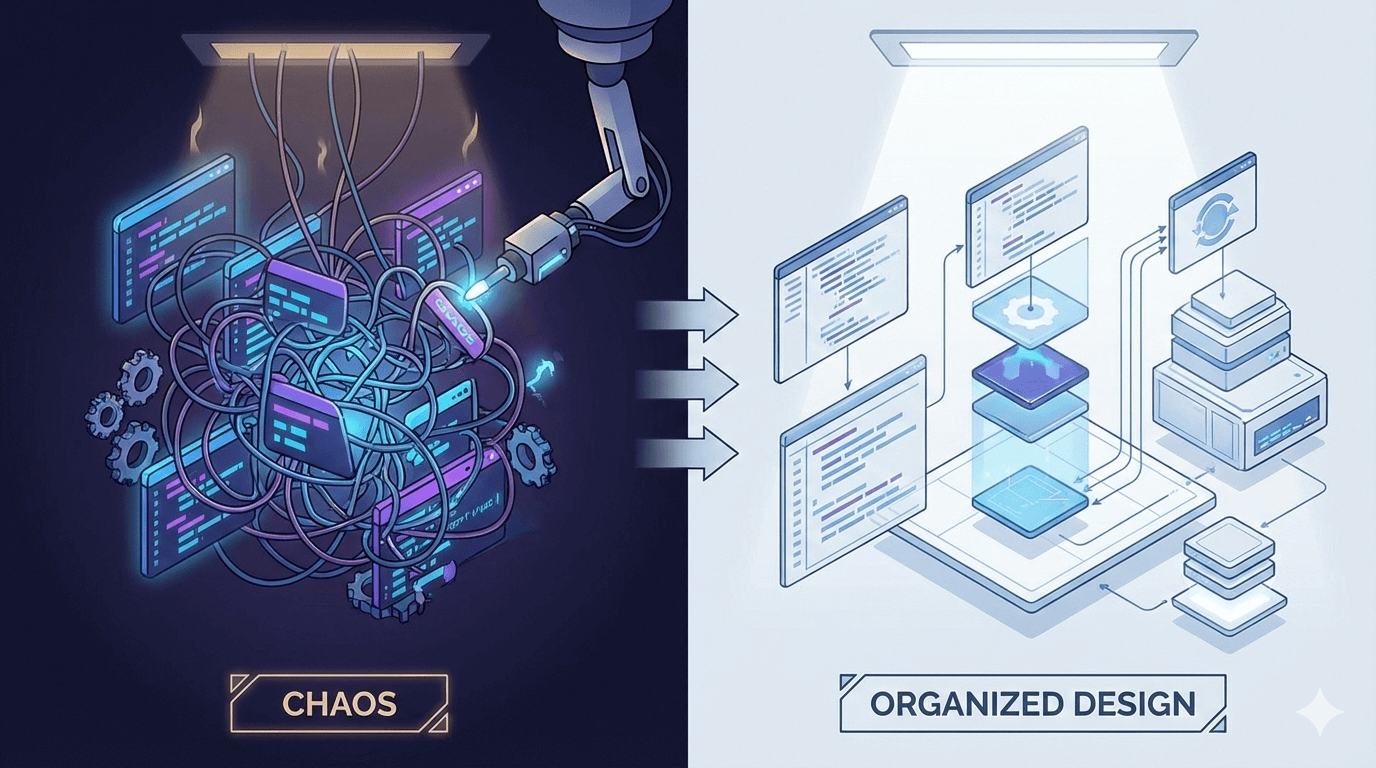
Refactoring is one of the most valuable skills in software engineering because most code you’ll ever work on already exists.
New features, bug fixes, performance work, security hardening—nearly all of it lands on top of an existing system.
Refactoring is the disciplined practice of improving code structure without changing behavior. It’s how you make software easier to understand, safer to change, and cheaper to maintain—without gambling on a rewrite.
This article is a practical, “in the trenches” guide to refactoring: what it is (and isn’t), when to do it, how to do it safely, and which techniques create the biggest design improvements.
Refactoring vs. rewriting (they’re not the same)
Refactoring:
- keeps behavior the same
- is incremental and reversible
- is guided by tests and feedback loops
- reduces long-term cost of change
Rewriting:
- changes behavior (even if unintentionally)
- is usually large and hard to review
- often resets institutional knowledge
- risks shipping “less but newer”
Rewrites can be necessary, but many “rewrite projects” are actually “refactoring projects in disguise” that were attempted without discipline.
If the goal is better design and maintainability, refactoring is usually the safer path.
Why refactoring matters (especially in the AI era)
AI makes it easier to produce code quickly, but speed is not the same as progress.
The hard part of software is:
- aligning code with real product needs
- keeping systems consistent across many changes
- making behavior reliable under edge cases
- keeping costs low as complexity grows
Refactoring is how you prevent a fast-moving codebase from becoming brittle.
It turns “we can’t touch that” into “we can change it safely”.
When should you refactor?
Refactoring is a tool—use it intentionally. Good triggers:
1) You’re about to add a feature and the code fights you
If every change requires touching too many files, duplicating logic, or threading state through awkward paths, the design is resisting.
Refactor just enough to make the change clean.
2) You’ve fixed the same bug twice
Repeat bugs often signal:
- unclear ownership of business rules
- hidden coupling
- “fix in one place, break in another” behavior
Refactoring is how you move the rule into one obvious, testable place.
3) Your code has “high friction” symptoms
Examples:
- long files with mixed responsibilities
- many parameters with unclear meaning
- “if/else ladders” everywhere
- inconsistent naming
- hard-to-mock dependencies
- tests that are painful to write
4) You’re onboarding new contributors
If onboarding depends on tribal knowledge, refactoring can turn implicit system rules into explicit structure and documentation.
When you should not refactor (yet)
Refactoring has a cost. Avoid it when:
- you don’t understand the behavior and have no safety net
- you’re in the middle of incident response (stabilize first)
- you’re refactoring “because it feels ugly” without a goal
- you’re trying to refactor everything at once
Refactoring works best when the scope is bounded and the payoff is clear.
The golden rule: refactoring needs a safety net
Refactoring without verification is just “changing code and hoping”.
Your safety net can be:
- unit tests for core logic
- integration tests for boundaries (DB, auth, APIs)
- E2E tests for critical user flows
- strong TypeScript typing + linting rules
- runtime checks for invariants (carefully used)
If you have none of the above, your first refactor might be to create them.
Characterization tests (when you don’t know what the code does)
Sometimes the code is messy, undocumented, and fragile. Instead of guessing, write tests that capture current behavior.
These are called characterization tests:
- they don’t claim the behavior is correct
- they record what the system currently does
- they protect you while improving structure
Once the structure is better, you can fix incorrect behavior with confidence.
Refactoring is a series of small moves
The best refactors are small, reviewable, and safe.
Here’s a simple loop:
- Pick a narrow goal (e.g., “remove duplication in slug generation”).
- Add/strengthen tests around the behavior.
- Make a small structural improvement.
- Re-run tests and lint/type checks.
- Commit (or at least checkpoint) frequently.
This keeps risk low and makes reviews easier.
Code smells: signals that refactoring will pay off
“Code smells” don’t mean “bad code”—they mean “code that’s telling you something”.
Common smells and what they usually indicate:
- Long function → mixed responsibilities; missing abstractions
- Large class/module → unclear boundaries; too much ownership
- Duplicate code → missing shared concept; inconsistent business rules
- Feature envy (object A manipulates object B’s internals) → wrong responsibilities
- Primitive obsession (everything is strings/numbers) → missing domain types
- Shotgun surgery (many files change for one feature) → hidden coupling
- Divergent change (one file changes for many unrelated reasons) → too many responsibilities
Use smells as prompts. Confirm with context before “fixing”.
Design improvements that usually give the biggest wins
1) Make the domain explicit (names, types, invariants)
When the code uses raw primitives, the meaning leaks everywhere.
Create domain types and helpers that encode rules once.
Example (TypeScript):
type PostSlug = string;

function assertValidSlug(value: string): asserts value is PostSlug {
  if (!/^[a-z0-9]+(?:-[a-z0-9]+)*$/.test(value)) {
    throw new Error("Invalid slug format");
  }
}
Now every call site can rely on one contract instead of re-implementing rules.
2) Separate “pure logic” from “side effects”
Side effects: DB writes, network calls, cookies, time, randomness.
Pure logic: mapping, validation, formatting, calculations.
Refactoring toward pure functions yields:
- easier unit tests
- easier reuse
- fewer hidden dependencies
Example pattern:
lib/posts/normalize.ts→ pure functionsapp/api/posts/route.ts→ request/response wiring
3) Introduce a boundary (and stop the leakage)
Boundaries can be:
- a service module (
lib/hire/service.ts) - a repository/data-access layer (
lib/db/posts.ts) - a UI adapter (
components/ui/*)
The point is to define “this layer owns this responsibility” so the system stays coherent.
4) Replace conditionals with polymorphism (carefully)
If you have a large switch on a type:
- consider a map of handlers
- or strategy objects
- or a discriminated union
Example:
type Job = { kind: "email"; to: string } | { kind: "sms"; to: string };

const handlers = {
  email: (job: Extract<Job, { kind: "email" }>) => {/* ... */},
  sms: (job: Extract<Job, { kind: "sms" }>) => {/* ... */},
} satisfies Record<Job["kind"], (job: any) => void>;
This makes “add a new kind” a deliberate change instead of a scattered one.
Techniques for safe refactoring in production systems
Some refactors are too risky to do as a single PR. Use patterns that let you change structure while preserving behavior.
Branch by abstraction
- Create a new interface/abstraction.
- Keep the old implementation behind it.
- Add a new implementation behind the same abstraction.
- Switch traffic gradually (feature flags, config toggles).
- Remove the old path once stable.
This reduces blast radius and makes rollback easy.
Strangler pattern (for legacy systems)
Instead of “rewrite the monolith”, you:
- build a new module around the edges
- route specific flows into the new path
- migrate piece by piece
This is often how teams modernize without halting delivery.
Golden master tests (for systems with complex outputs)
When behavior is hard to specify but easy to snapshot:
- run the current system and capture outputs
- refactor structure
- compare outputs to ensure behavior didn’t change
Use this carefully: golden masters can become brittle if outputs include time/IDs/randomness.
Refactoring and performance
Refactoring isn’t only “cleanup”. It can be performance work when the design hides inefficiencies:
- repeated computation because data flow is unclear
- unnecessary re-renders because components own too much state
- expensive DB calls because query boundaries are messy
Good performance refactors typically:
- reduce repeated work
- move work to the correct layer (server vs client)
- make caching possible (deterministic inputs/outputs)
Refactoring and teams: communication is part of design
Refactors fail when they surprise people.
Good habits:
- Describe the intent in the PR: “This refactor enables X change safely.”
- Keep diffs small and staged.
- Pair with tests and screenshots for UI changes.
- Use Conventional Commits and scopes to make history readable.
- Add lightweight docs when you introduce a new pattern.
If a refactor changes how things are done, document it in the repo (even a short README in the folder).
A practical refactoring checklist
Before you start:
- [ ] What behavior must not change?
- [ ] What is the smallest scope that creates value?
- [ ] What tests (or characterization checks) protect this change?
While refactoring:
- [ ] Keep changes small and reversible.
- [ ] Run lint/typecheck/tests often.
- [ ] Prefer extraction over rewriting.
- [ ] Improve naming as you go (names are design).
Before merging:
- [ ] Verify critical user flows.
- [ ] Confirm performance didn’t regress (where it matters).
- [ ] Remove dead code and unused paths.
- [ ] Update docs if you changed architecture or conventions.
Closing thought: refactoring is how you stay fast long-term
Refactoring is not an “extra”. It’s maintenance—and maintenance is what lets you keep shipping.
The teams that refactor well can:
- deliver features faster
- onboard new engineers more easily
- fix incidents without fear
- improve quality without slowing down
Refactoring is the craft of making future changes cheaper.